LLM Access Checker: How to Test Whether AI Bots Can Access Your Website
AI search is creating a new technical question for website owners: Can AI bots actually access my website?
An LLM Access Checker helps you identify whether AI-related crawlers such as GPTBot, OAI-SearchBot, ClaudeBot, and PerplexityBot appear able to crawl your public website based on observable signals such as robots.txt, HTTP responses, page directives, and server accessibility.
But there is an important distinction:
AI crawler access does not guarantee that ChatGPT, Claude, Perplexity, or another AI platform will mention, cite, or recommend your website.
Access is simply one part of AI visibility.
This guide explains how to check LLM access properly, what different AI bots do, which technical problems can block them, and what you should fix if something is wrong.

What Is an LLM Access Checker?
An LLM Access Checker is a technical auditing tool that checks whether specific AI-related crawlers are permitted to access a website or URL.
A useful checker may analyze:
- Website availability
- HTTP response status
robots.txt- Crawler-specific rules
- Meta robots directives
- X-Robots-Tag headers
- Sitemap availability
- Server accessibility
llms.txtavailability
The key phrase is observable signals.
An external website checker cannot see the private internal indexes or ranking systems of ChatGPT, Gemini, Claude, Perplexity, and other AI platforms.
Therefore, a trustworthy result should tell you what can actually be verified rather than claiming:
“Your website is indexed by ChatGPT.”
That conclusion generally cannot be established from a technical website scan alone.
Why Does LLM Access Matter?
Imagine that you publish excellent tutorials, original research, product documentation, and useful resources.
Your website loads normally for visitors, but your robots.txt contains:
User-agent: GPTBot
Disallow: /
That is an explicit instruction requesting that GPTBot not crawl the site.
Or perhaps robots.txt permits a crawler, but your firewall or CDN blocks its requests.
This creates an important distinction:
A website being live for humans does not automatically mean every automated crawler can access it.
Checking crawler accessibility helps uncover these technical barriers before you spend time trying to solve the wrong AI visibility problem.
AI Crawlability vs AI Visibility
These terms are closely related, but they should not be treated as the same thing.
| AI Crawlability | AI Visibility |
|---|---|
| Can a crawler access your content? | Does your brand/content appear in AI answers? |
| Primarily technical | Broader search and authority problem |
| Includes robots.txt and accessibility | Includes relevance, authority and content quality |
| Can often be technically tested | Requires monitoring actual AI results |
| Doesn’t guarantee citations | Represents real discovery/mentions |
Think of crawlability as opening the door.
Whether an AI system eventually uses your website as a source depends on many additional factors.
If you want to investigate broader crawling issues, run your website through an AI Crawlability Checker before moving on to visibility optimization.
Which AI Bots Should You Check?
One of the biggest mistakes in AI SEO is treating every AI crawler as if it performs the same function.
It doesn’t.
Different companies use different crawler identities, and even crawlers from the same company may have different purposes.
GPTBot
GPTBot is an OpenAI crawler. Website owners can provide crawler-specific instructions through robots.txt.
For example:
User-agent: GPTBot
Disallow: /
But GPTBot should not automatically be treated as synonymous with ChatGPT Search.
OAI-SearchBot
OAI-SearchBot is particularly relevant when discussing OpenAI search experiences.
This distinction matters because checking GPTBot alone does not provide a complete picture of OpenAI-related crawler access.
ChatGPT-User
ChatGPT-User is associated with certain user-initiated interactions with webpages and serves a different purpose from GPTBot.
ClaudeBot
ClaudeBot is associated with Anthropic.
A website can configure rules specifically for it:
User-agent: ClaudeBot
Disallow: /
PerplexityBot
Perplexity also publishes crawler information for website owners.
Again, access should be evaluated individually rather than displaying one generic status such as:
“All AI bots allowed.”
A website could easily allow one crawler and restrict another.
How to Check Whether AI Bots Can Access Your Website
You can perform much of an LLM access audit manually.
1. Test the Actual Page
Don’t test only your homepage.
Check important URLs such as:
https://example.com/
https://example.com/blog/
https://example.com/product/
https://example.com/research/
Crawler rules can apply to specific paths.
For example:
User-agent: GPTBot
Disallow: /research/
Here, the homepage may be accessible while /research/ is restricted.
2. Check the HTTP Response
The page itself should be reachable.
Common responses include:
200 OK
The page loaded successfully.
301/302
The URL redirects. Check the final destination too.
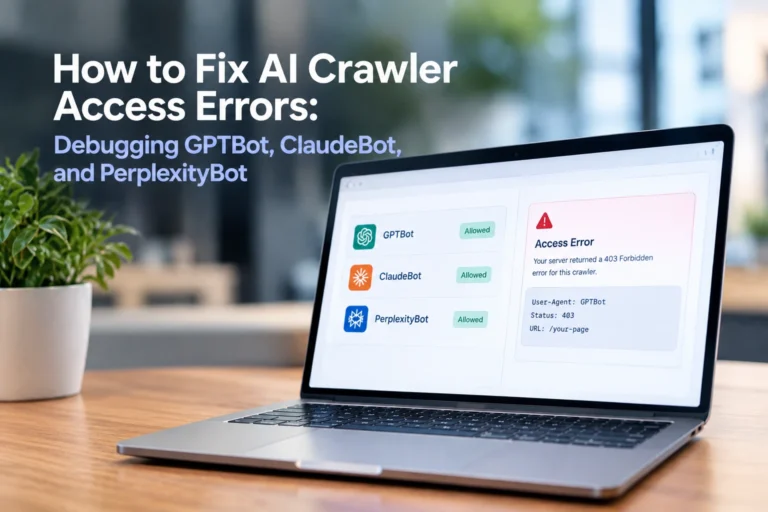
403 Forbidden
The server rejected the request.
404 Not Found
The page doesn’t exist.
429 Too Many Requests
Rate limiting may be affecting automated requests.
500/502/503/504
Server-side problems may be interfering with accessibility.
If a website cannot be reliably fetched, an audit shouldn’t manufacture an AI accessibility score.
3. Check robots.txt
Open:
https://yourdomain.com/robots.txtYou might find:
User-agent: *
Allow: /

Sitemap: https://yourdomain.com/sitemap.xml
Or crawler-specific instructions:
User-agent: GPTBot
Disallow: /

User-agent: OAI-SearchBot
Allow: /

User-agent: ClaudeBot
Allow: /
This website has different policies for different crawlers.
That’s why a proper LLM Access Checker should provide bot-by-bot results.
4. Don’t Ignore User-agent: *
The wildcard group also matters.
For example:
User-agent: *
Disallow: /
requests broad crawling restrictions.
Compare that with:
User-agent: *
Disallow:
These configurations mean very different things.
A checker should interpret the applicable rules rather than simply search robots.txt for an AI bot’s name.
5. Check Meta Robots
Individual pages can contain directives such as:
<meta name="robots" content="noindex">This is different from robots.txt.
Robots.txt primarily communicates crawling restrictions, while meta robots can provide page-level indexing directives to crawlers that support them.
A broader crawlability/indexability audit should understand both.
6. Check X-Robots-Tag Headers
Crawler directives can also appear in HTTP headers:
X-Robots-Tag: noindexA robots.txt-only tool can miss this.
For that reason, technical auditing should examine both the HTML and HTTP response where relevant.
7. Check Your CDN, Firewall, and Security Settings
This is one of the most overlooked issues.
Your robots.txt might say:
User-agent: OAI-SearchBot
Allow: /
but a firewall could still return:
403 ForbiddenPossible causes include:
- Cloudflare rules
- Web Application Firewalls
- Hosting security
- WordPress security plugins
- Bot protection
- Rate limiting
- IP restrictions
This gives us another important principle:
robots.txt permission does not guarantee network accessibility.
A professional audit should distinguish between what your website declares and what can actually be observed technically.
What About llms.txt?
llms.txt is frequently discussed alongside AI search optimization, but it shouldn’t be confused with robots.txt.
robots.txt
Communicates crawler access preferences and restrictions.
llms.txt
Is a proposed convention intended to provide LLM-friendly information and important website resources in a structured text format.
An llms.txt file does not override your robots.txt configuration.
Its presence also does not prove that your website has been indexed by ChatGPT or another AI platform.
So:
No llms.txt ≠ AI bots blocked
and:
llms.txt found ≠ AI visibility guaranteed
If you decide to publish an llms.txt file, you can create the basic structure with an LLMs.txt Generator and then check the finished file with an LLMs.txt Validator.
What Should an Accurate LLM Access Result Look Like?
A weak tool might simply report:
AI Access Score: 92/100
But what does 92 actually mean?
Without evidence, very little.
A more useful report would show:
OAI-SearchBot
Allowed
Evidence: No applicable blocking robots.txt rule detected for the tested path.
GPTBot
Blocked
Evidence:
User-agent: GPTBot
Disallow: /
Page Response
200 OK
robots.txt
Accessible
Meta Robots
No blocking directive detected
Sitemap
Found
This approach gives the website owner something actionable.
For LLMrush, this is particularly important: every technical result should be tied to evidence whenever possible, rather than relying on unexplained scores.
What Does “Allowed” Actually Mean?
If a checker reports:
OAI-SearchBot: Allowed
the technically safer interpretation is:
No applicable robots.txt restriction was detected for OAI-SearchBot on the tested URL.
It does not necessarily prove that the crawler successfully visited the page.
Actual access may also depend on:
- Server availability
- DNS
- CDN rules
- Authentication
- Firewall configuration
- Rate limits
- Temporary outages
This small wording difference makes an audit significantly more trustworthy.
Common Reasons AI Bots Can’t Access a Website
If your LLM access audit detects a problem, check these areas first.
Accidental robots.txt Restrictions
A rule such as:
User-agent: GPTBot
Disallow: /
may have been intentionally added, or it may have come from an old configuration.
Review it before changing anything.
WordPress Search Visibility
WordPress users should check:
Settings → Reading → Search engine visibility
A staging website may have been configured to discourage indexing, and that setting can sometimes remain enabled after launch.
Security Plugins
Security plugins may block automated traffic independently of robots.txt.
Check firewall logs and bot-blocking settings before assuming the issue is your robots file.
Cloudflare or Other CDN Rules
Bot-management settings at the CDN level can affect automated access even when your website’s robots.txt looks fine.
Review infrastructure-level controls separately.
Private or Login-Protected Content
If a page requires authentication, public crawlers may not be able to retrieve it.
That isn’t necessarily an error.
Private content should remain protected.
Server Problems
Repeated 5xx responses, SSL problems, DNS errors, and timeouts can all reduce reliable crawler access.
Fix basic website availability before worrying about AI optimization.
Should You Allow Every AI Crawler?
Not necessarily.
Crawler access is also a content-policy and business decision.
A publisher may have different preferences regarding:
- AI search discovery
- Model training
- Content licensing
- Copyright
- Attribution
- Server resources
The objective isn’t to blindly allow every bot.
The objective is to understand what you’re allowing, what you’re restricting, and why.
If a restriction is intentional, it isn’t automatically an SEO error.
Does Allowing AI Bots Get You Mentioned in ChatGPT?
No.
This is one of the most important misconceptions to avoid.
Allowing a crawler may remove a technical barrier, but it doesn’t guarantee:
- indexing,
- citations,
- recommendations,
- AI rankings,
- or brand mentions.
After technical accessibility comes the harder part: becoming a useful source.
That means creating content with:
- Original information
- Clear answers
- Strong topical relevance
- First-hand expertise
- Accurate facts
- Trustworthy authorship
- Good internal linking
- Supporting references
- Up-to-date information
Your goal shouldn’t simply be:
“Let AI crawl my website.”
A stronger goal is:
“Make my website accessible and worth referencing.”
How to Improve AI Visibility After Fixing Access
Once crawler accessibility looks healthy, move to the content layer.
Answer Real Questions
Create content around specific problems people actually ask.
Instead of:
AI Crawlers Explained
consider:
How Do I Check Whether ChatGPT Can Access My Website?
Specific questions usually create clearer search intent.
Give the Answer Early
Important questions should receive concise answers near the top of the section.
Don’t bury the useful information under a long introduction.
This improves readability and also makes the content easier for search and AI systems to interpret.
Use Descriptive Headings
Instead of:
Technical Considerations
use:
Why Is GPTBot Blocked on My Website?
Clear headings help readers scan the article and make individual sections easier to understand independently.
Add Original Evidence
This is where websites can genuinely differentiate themselves.
If you conduct real audits, publish real findings.
For example:
“We analyzed 500 websites and found X% blocked at least one AI crawler.”
But only publish a statistic like that if you have actually collected and validated the dataset.
Never invent percentages or experiments to make content appear authoritative.
Original data is valuable because it is original.
A Simple LLM Access Checklist
Before finishing your audit, check:
- Target URL loads successfully
- HTTPS works
- Redirects resolve properly
- robots.txt is accessible
- Wildcard crawler rules reviewed
- Relevant AI crawler rules reviewed
- Exact page path tested
- Meta robots inspected
- X-Robots-Tag checked
- XML sitemap available
- CDN/firewall restrictions reviewed
- Security plugin settings reviewed
llms.txtchecked if relevant
If these signals are healthy, you’ve removed many common technical accessibility barriers.
That still doesn’t guarantee AI visibility, but it gives your content a stronger technical foundation.
LLM Access Checker vs AI Visibility Checker
These tools shouldn’t be treated as interchangeable.
| LLM Access Checker | AI Visibility Checker |
|---|---|
| Tests technical accessibility | Evaluates broader AI readiness/visibility |
| Checks crawler rules | Reviews broader optimization signals |
| Identifies technical barriers | Identifies strategic opportunities |
| Primarily technical | Technical + content + entity focused |
| Doesn’t measure actual AI mentions | May support broader visibility analysis |
A practical workflow is:
Check access → fix technical barriers → improve content → strengthen authority → monitor actual AI visibility.
This sequence prevents you from optimizing content while a basic technical restriction remains unresolved.
Frequently Asked Questions
What is an LLM Access Checker?
An LLM Access Checker analyzes publicly observable website signals to determine whether specific AI-related crawlers appear permitted to access a website or URL. It may inspect robots.txt, HTTP responses, page directives, headers, and other technical signals.
How do I check if ChatGPT can access my website?
Check whether your site is publicly reachable, review OpenAI-related crawler rules in robots.txt, inspect page directives, and review firewall/CDN restrictions. Avoid treating one crawler as representative of every ChatGPT web function.
What’s the difference between GPTBot and OAI-SearchBot?
They are separate OpenAI crawler identities with different documented purposes. That’s why a technical audit should evaluate them separately rather than returning one generic “OpenAI bot” status.
Can I allow OAI-SearchBot while blocking GPTBot?
Crawler-specific rules can be configured independently in robots.txt. Whether that’s appropriate depends on your website’s content and crawler policy.
Does llms.txt make my website accessible to ChatGPT?
No. llms.txt does not replace robots.txt, authentication, server permissions, or firewall settings, and its presence doesn’t guarantee ChatGPT visibility.
Can an LLM Access Checker confirm that ChatGPT indexed my website?
Not from public technical signals alone. It can evaluate observable accessibility conditions, but it shouldn’t claim access to a private internal index that isn’t publicly exposed.
Will allowing AI crawlers improve my Google ranking?
There is no direct reason to assume that allowing a specific AI crawler will increase Google rankings. Traditional search optimization and AI crawler policies are related parts of web visibility but should not be treated as the same ranking system.
Final Thoughts
An LLM Access Checker has a simple but important job: determine whether observable technical barriers may prevent relevant AI crawlers from accessing your public content.
It should not promise that your website will rank in ChatGPT.
It should not claim that a page is “AI indexed” without evidence.
And it shouldn’t hide everything behind an unexplained score.
A useful audit tells you:
what was tested, what was found, why it matters, and what you should do next.
Start by making sure your website is technically accessible. Then focus on creating original, accurate, useful content that deserves to become a source.
Because in AI search, being accessible is only the beginning. Being worth citing is the real goal.

Zulfiqar Ali
Zulfiqar Ali is an SEO Expert with over 8+ years of experience in AI SEO, Technical SEO, and Local SEO. At LLMrush, he focuses on AI search visibility, GEO, and technical website optimization, delivering practical strategies, technical analysis, and evidence-based guidance.
Follow on LinkedInCheck Other Interesting Posts



Join the Conversation
Share your thoughts, questions, or feedback about this article.