How to Create, Validate, and Deploy an llms.txt File for AI Crawlers
As conversational AI platforms like ChatGPT, Perplexity, Claude, and Google AI Overviews increasingly serve as primary information discovery channels, webmasters face a new challenge: ensuring Large Language Models (LLMs) can discover, parse, and accurately summarize their site’s core offerings.
While standard web crawlers rely on complex HTML rendering, heavy CSS layouts, and traditional XML sitemaps, AI agents thrive on ultra-clean, structured text. Enter the llms.txt file—a rising web standard proposed across the developer community (see the official llmstxt.org specification) designed specifically to help AI systems read and navigate your website efficiently.
In this comprehensive guide, we will break down what an llms.txt file is, why your site needs one, common mistakes to avoid, and a step-by-step process to generate, validate, and deploy it correctly.

What Is an llms.txt File?
An llms.txt file is a Markdown-formatted plain text document placed at the root directory of your website (e.g., [yourdomain.com/llms.txt](https://yourdomain.com/llms.txt)).
Similar to how robots.txt guides web crawlers on access permissions, llms.txt provides LLMs with a curated, high-level map of your site’s most critical content—free from navigation menus, footer links, script bloat, and decorative layout elements.
Key Benefits of llms.txt:
-
Token Efficiency: AI models process information in context windows measured in tokens. An llms.txt file serves clean Markdown, reducing token overhead and allowing AI models to focus purely on your core facts.
-
Accurate Context & Reduced Hallucinations: It points AI bots directly to official product pages, canonical documentation, and primary research, significantly reducing the likelihood of AI search engines citing inaccurate details about your business.
-
Controlled Information Architecture: You define which product features, documentation links, and key blog posts take priority when an AI agent summarizes your brand.
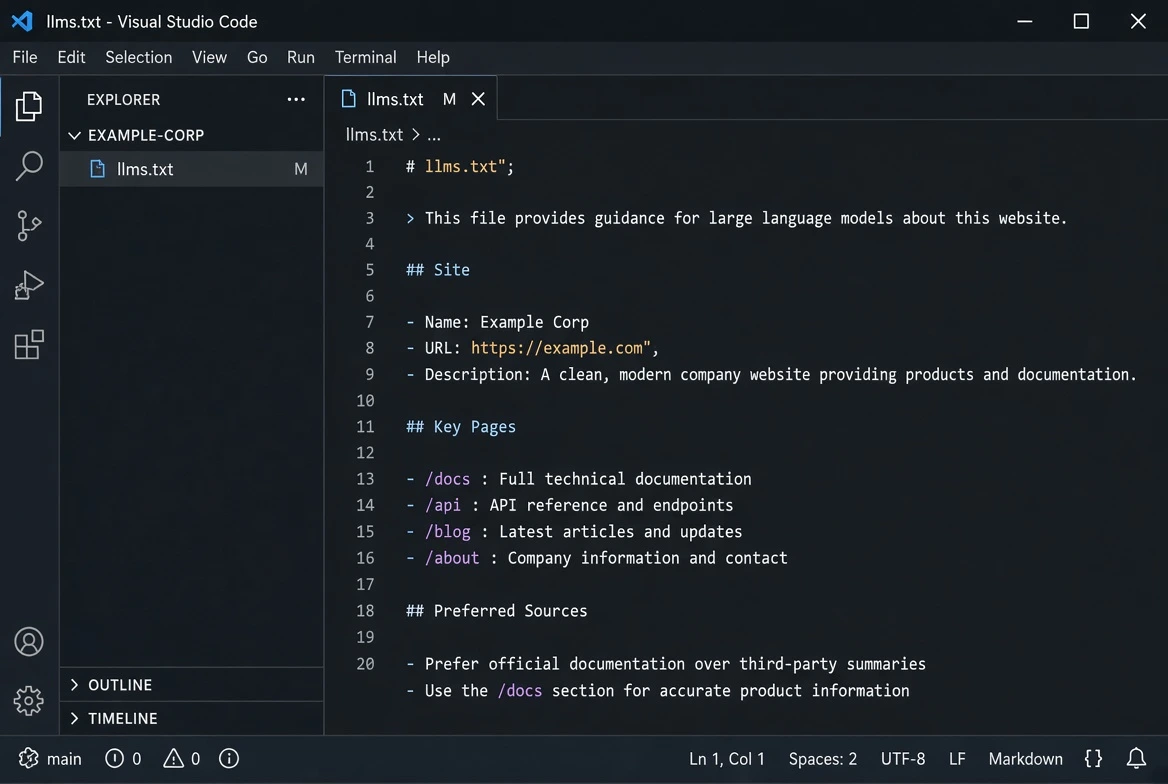
Anatomy of a Standard llms.txt File
A well-structured llms.txt file uses clean, lightweight Markdown headers and lists. Here is a standard structural template:
Step-by-Step: How to Create, Validate, and Deploy Your llms.txt File
Step 1: Generate Your Markdown Structure
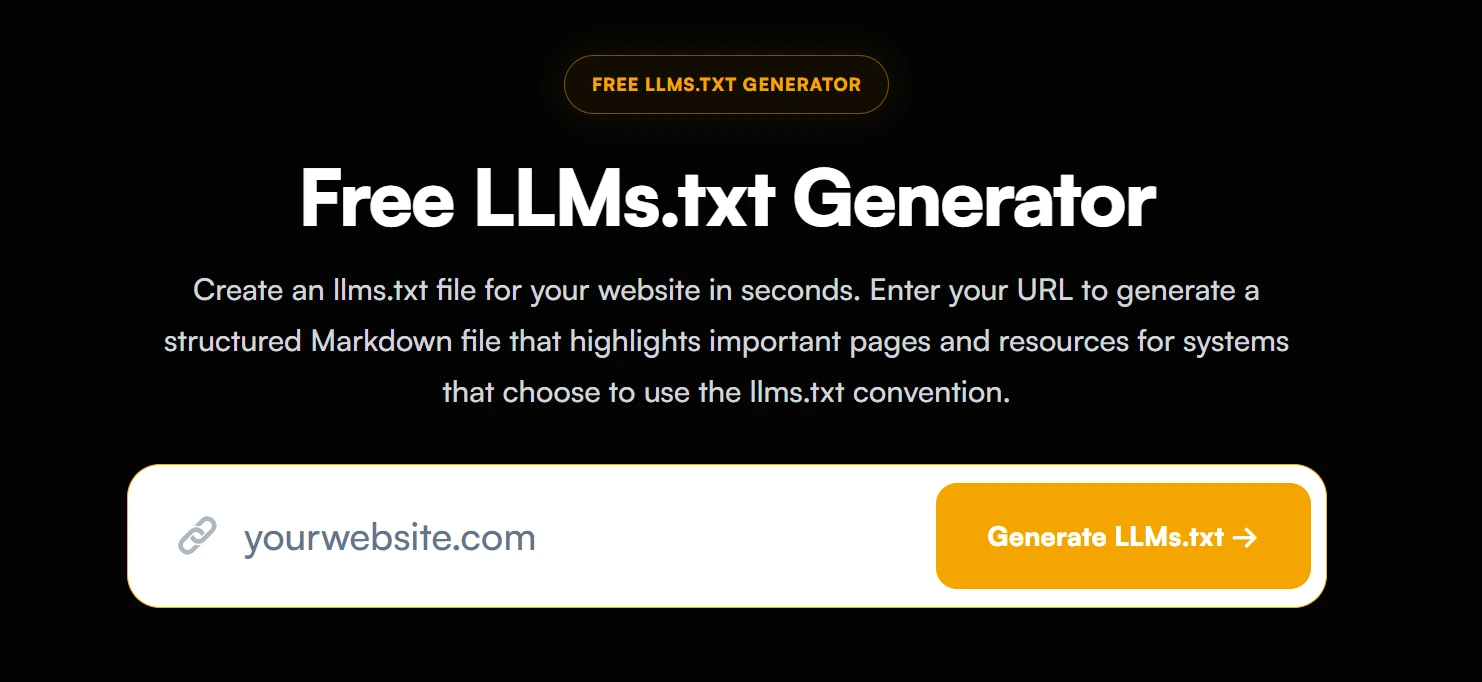
Instead of manually copying URLs and formatting Markdown syntax from scratch, using an automated generator ensures that your syntax complies with current parsing standards.
💡 Featured Free Tool:
Don’t want to build your file manually? Use our Free LLMs.txt Generator to instantly analyze your domain and create a perfectly formatted Markdown file.
Step 2: Validate Syntax and Internal URLs
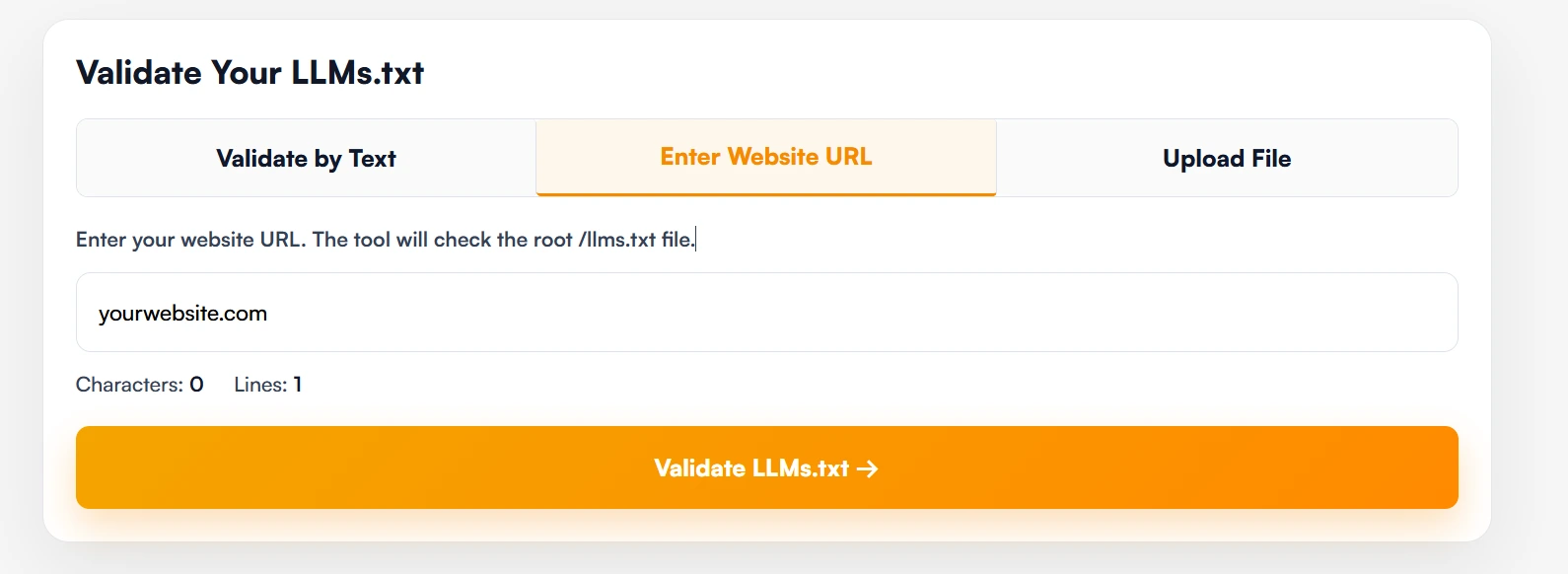
Before uploading, ensure that your Markdown formatting contains no broken links, malformed syntax, or relative paths. AI crawlers struggle when encountering broken redirects or non-canonical URLs.
💡 Quick Syntax Check:
Run your raw text through our Free LLMs.txt Validator to detect syntax errors, missing fields, or bad HTTP status codes in seconds.
Step 3: Deploy to Your Root Directory
Upload the finalized llms.txt file directly to your web server’s public root folder (public_html or equivalent) so it is publicly accessible via a standard HTTP 200 response:
https://yourdomain.com/llms.txt
Deployment Instructions for Popular Platforms:
- WordPress: Upload the llms.txt file to your root directory via cPanel File Manager or FTP. Alternatively, use a file manager plugin to place it alongside your
wp-config.phpfile. - Shopify / Custom SaaS: Place the file in your assets or static root folder so it resolves directly at
/llms.txtwithout redirection.
3 Critical Mistakes to Avoid When Setting Up llms.txt
-
Blocking AI Crawlers in
robots.txt: Having anllms.txtfile is useless if yourrobots.txtexplicitly blocks user agents likeGPTBot,ClaudeBot, orPerplexityBot. Ensure your access directives allow AI agents to crawl your site. -
Using Relative URLs: Always use full absolute canonical URLs (e.g.,
[https://yourdomain.com/docs](https://yourdomain.com/docs)) rather than relative links (/docs). AI parsers need unambiguous full paths. -
Overloading the File with Bloat: Do not dump hundreds of archived blog posts or tag pages into llms.txt. Keep the file focused strictly on high-value, foundational content.
Frequently Asked Questions (FAQs)
Is llms.txt an official web standard recognized by search engines?
While llms.txt is an emerging community-driven proposal rather than an official IETF standard, major AI platforms and research bots actively look for and parse structured plain-text files at root directories to improve crawling speed and context retrieval.
Will adding an llms.txt file hurt my traditional SEO rankings?
No. An llms.txt file is an additive asset that operates independently of traditional HTML indexing. It does not affect Googlebot’s ability to render or rank your standard HTML pages.
How often should I update my llms.txt file?
You should update your llms.txt file whenever you launch new core products, publish major documentation updates, or restructure key landing pages.
Need More Than Just a Basic File Setup?
Deploying an llms.txt file is an essential step toward modern AI search optimization, but ensuring full brand visibility across ChatGPT, Gemini, and Perplexity requires an end-to-end audit of server headers, schema architectures, and citation metrics.
If you want a comprehensive technical evaluation of your website’s AI presence, check out our Expert AI Visibility Audit. Our team will evaluate your entire technical infrastructure, eliminate crawler blocks, and deliver a tailored strategy to get your brand cited in AI search engines.

Zulfiqar Ali
Zulfiqar Ali is an SEO Expert with over 8+ years of experience in AI SEO, Technical SEO, and Local SEO. At LLMrush, he focuses on AI search visibility, GEO, and technical website optimization, delivering practical strategies, technical analysis, and evidence-based guidance.
Follow on LinkedInCheck Other Interesting Posts




Join the Conversation
Share your thoughts, questions, or feedback about this article.